How does OCR turn images into editable text?
A scanned invoice may look perfectly readable, yet its supplier name and total still have to be typed into another system. OCR is the technology that makes those characters available to software. The useful result is searchable text, or a set of checked fields that an accounting or document system can actually use.
OCR stands for Optical Character Recognition. It converts text in photographs, scanned pages and video frames into digital text. This English edition follows our Chinese introduction to OCR, covering the recognition process, three common applications and the role of generative AI.
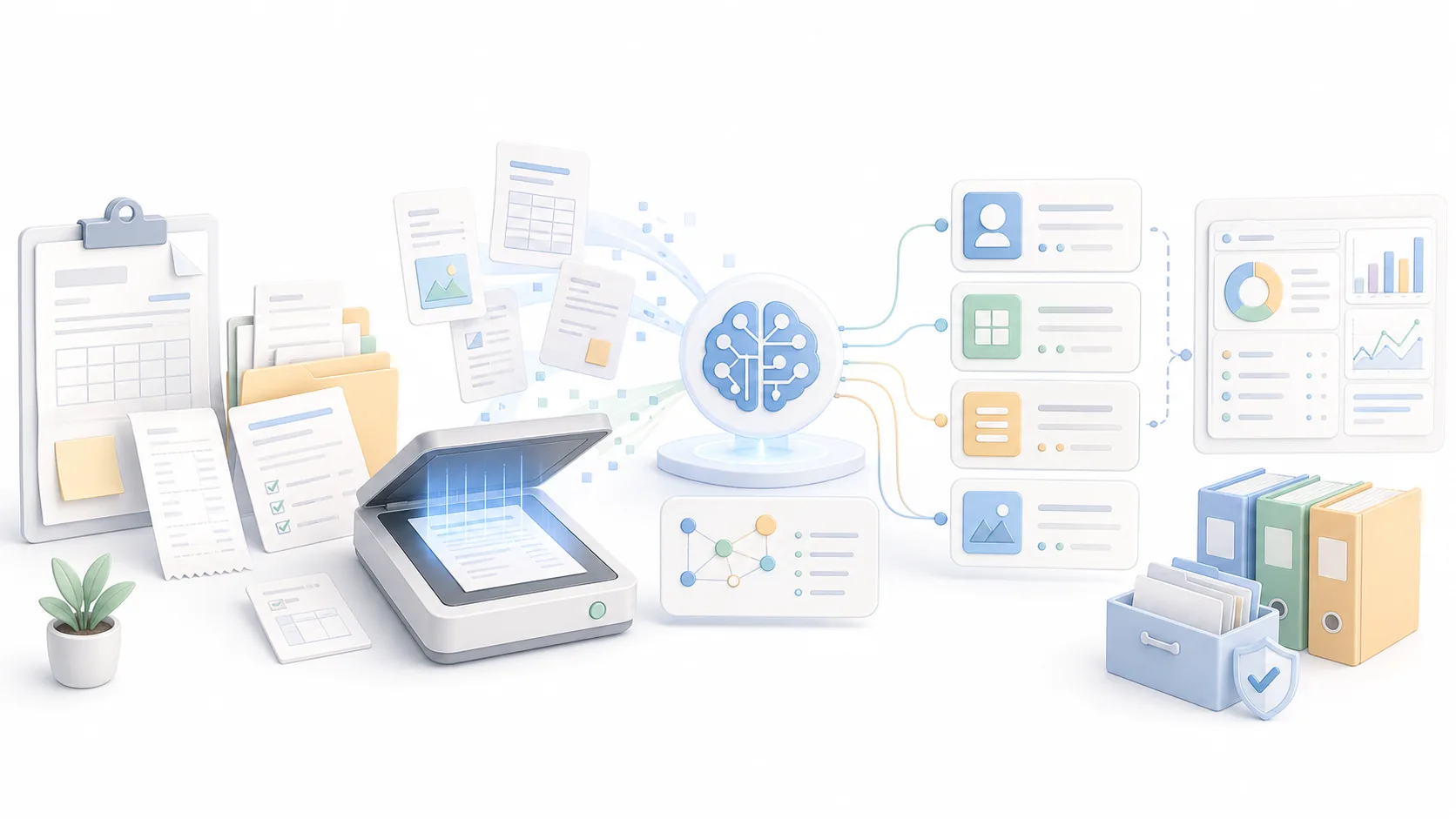
How an image becomes editable text
A computer initially sees an image as pixels. It must locate the text, recognize the characters and reconstruct their reading order. Detecting a table adds another task: deciding which value belongs to which row and column. A correct string of numbers can still be unusable if it is attached to the wrong invoice field.
The seven stages below describe a traditional OCR pipeline. They are a useful way to understand the problem, although modern neural systems may combine several stages and do not necessarily segment each character separately.
- Capture the image. Read a scan, photograph or video frame. Keep an original copy so that an uncertain result can be checked later.
- Prepare the image. Correct rotation, reduce noise and improve contrast. Binarization separates darker text from a lighter background when that treatment suits the document.
- Separate characters. A traditional system divides the text into individual letters, digits and punctuation. Touching characters and broken strokes make this difficult.
- Thin the strokes. Some traditional methods reduce strokes to a simpler skeleton to make character structure easier to compare.
- Extract features. Describe features such as lines, curves and intersections so that the system can distinguish one character from another.
- Recognize and check candidates. Compare the extracted features with learned patterns or character references. Language context can help rank plausible readings.
- Export the result. Return text and, where supported, positions, reading order and structured fields. The destination might be a searchable document, spreadsheet or database.
A clean text export is only the beginning of document automation. Before a total enters an accounting system, the workflow must also check its currency, decimal point and relationship to the source page.
Why traditional OCR struggles with real documents
Traditional systems work best with clear printing, consistent layouts and a strong separation between text and background. A promotional leaflet, a skewed phone photograph or a faint handwritten note violates those assumptions. Character segmentation errors then carry into recognition: two connected letters may be read as one, or a damaged character as several.
Deep learning changes how the recognition patterns are learned. Microsoft's TrOCR research, for example, combines an image Transformer with a text Transformer. It illustrates how a model can learn to generate text from an image without the same hand-designed character features used in older pipelines.
Advantages of AI OCR
Neural models can handle a wider range of fonts, handwriting and image conditions when those conditions are represented in their training. They can also be combined with layout analysis to process documents whose fields move between pages.
Limitations to test
Blur, glare, rare names and unfamiliar document formats still cause errors. Processing more documents does not automatically retrain a deployed model. Improvements require an explicit feedback, labeling or model-update process. Local deployment also needs access controls, retention rules and secure backups.
Three ways to put OCR to work
Turn images into searchable documents
Invoices, insurance forms, book extracts and handwritten notes can be converted into text that staff can search and edit. Preserve the page image alongside the recognized text. When a name or amount looks suspicious, a reviewer needs to see the original rather than infer the answer from surrounding words.
For a first technical trial, Google Cloud Vision's OCR documentation explains text detection and document text detection. Try the same representative pages through the candidate service, then compare names, dates, totals and reading order. A demo on one clean page says little about a year's archive.
Connect recognition to an automated workflow
OCR can supply data to Robotic Process Automation, or RPA. A practical invoice workflow reads the supplier and amount, validates required fields, checks for duplicates and sends exceptions to a person before posting the result. OCR supplies recognized content; the surrounding rules decide what the business system is allowed to do with it.
Start with one document family and define its expected output. For an invoice, that could mean supplier name, invoice number, issue date, currency and total. Check each field against a labeled sample instead of judging the result by whether the exported paragraph looks fluent.
Find text inside video and broadcast material
Captions, on-screen headlines and advertising text can be recognized from selected video frames. The extracted text becomes searchable evidence for brand monitoring or an advertising review. Keep the frame and timestamp with every hit so that a reviewer can inspect what actually appeared.
A keyword match is a reason to review a clip. Deciding whether an advertisement violates a rule requires its full wording, context and the applicable rule; recognition alone cannot settle that question.
What generative AI adds after recognition
A language model can suggest corrections, restore a reading sequence or convert recognized text into a defined structure. For instance, it might propose “Illinois” when OCR produces “I1linois.” That is useful assistance, but a plausible correction can also overwrite a valid account code or an unusual personal name.
Keep the original OCR output, the proposed correction and its page location separate. Require human confirmation for consequential changes to names, amounts and identifiers. In medical or legal documents, a fluent sentence is especially poor evidence that every detail is correct.
Document-understanding models take this further. Donut is an example of an OCR-free approach that generates structured information from document images. It helps explain the distinction between recognizing characters and answering a document task, such as identifying a receipt total. Neither approach guarantees that a value was read correctly from every new layout.
How to choose an OCR approach
Use a dedicated OCR engine when the main requirement is faithful text and page coordinates. Evaluate a document-understanding or vision-language model when the task also involves field relationships, tables or questions about a page. A combined pipeline may be appropriate when you need both a traceable text layer and structured extraction.
Compare candidates on the documents you actually receive. Include clear scans, phone photographs, handwriting and difficult tables in separate groups. Measure field accuracy, missing fields, processing time and the proportion that needs manual review. Also check where files are processed, who can access them and how they are deleted.
LargitData's OCR service is another option to discuss when document recognition needs to connect to an enterprise workflow. Bring a representative sample and the required output fields so that an evaluation can establish its suitability before production integration.