How does automatic speech recognition turn audio into text?
A meeting recording contains what people said, but finding a particular decision still means listening through the audio. Automatic Speech Recognition, or ASR, turns that recording into text that can be searched, checked and used to prepare notes. The same technology also supports subtitles, dictation and voice interfaces.
This English edition of our Chinese ASR guide explains how speech becomes text, what changes when generative AI is added and how to test a service on your own recordings.
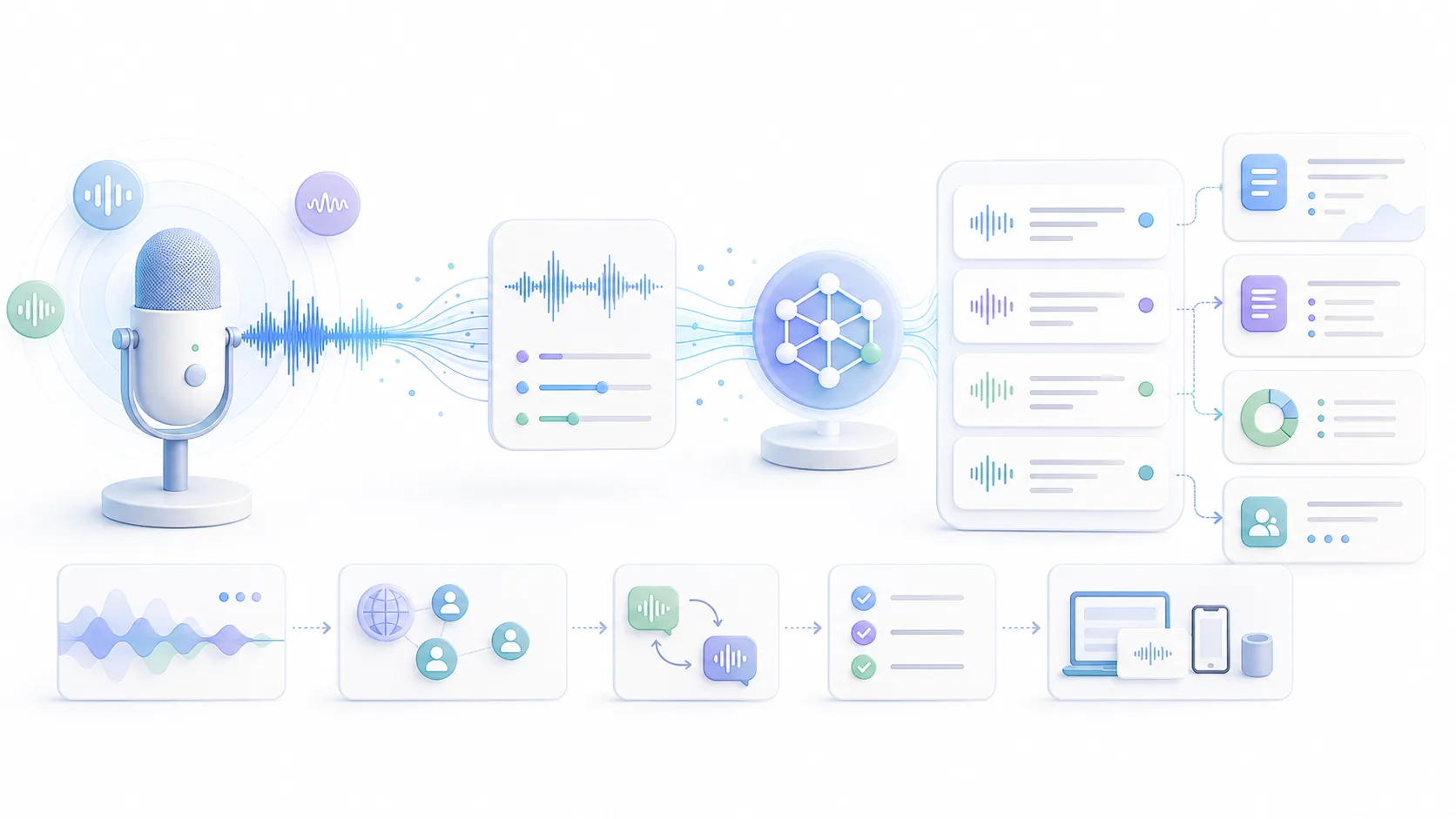
What ASR does
ASR converts spoken language into written text. Speech-to-Text, usually shortened to STT, is another common name for the task. A transcript is an estimate of the words in the audio; it is not automatically an interpretation of the speaker's intention.
A voice assistant uses that transcript as input to another component that decides how to respond. A meeting tool may add speaker labels, summaries and action items. Those are distinct tasks, so a product that transcribes accurately can still assign a statement to the wrong person or summarize it incorrectly.
That distinction matters when someone says, “We could send it on Friday.” A readable summary must not silently turn the suggestion into a confirmed Friday deadline.
How speech recognition developed
Early systems matched limited speech patterns. Statistical approaches, including Hidden Markov Models, later modeled speech as a sequence of changing states. Deep neural networks improved the learned representations, while end-to-end systems brought acoustic input and text generation into a more integrated model.
The older separation between acoustic modeling, pronunciation and language modeling remains useful for understanding the problem. Modern models arrange those responsibilities differently. Integrating stages does not remove the need to handle noise, timing and ambiguous words.
Multilingual models also make the language itself part of the recognition problem. An English product name inside a Mandarin sentence, or Japanese conversation with English abbreviations, is a different test from a clean recording in one language.
Seven parts of an ASR system
- Collect and prepare audio. Training needs recordings paired with accurate text. For an existing service, check input formats, recording levels and whether preprocessing removes useful speech along with noise.
- Represent the sound. Systems commonly transform waveforms into features such as spectrograms or log-Mel representations. MFCCs are another established representation. A Mel spectrogram and MFCCs are related but are not the same feature.
- Choose a model. Recurrent architectures such as LSTMs and GRUs model sequences. Other systems use Transformer-based architectures. The model must connect changing acoustic evidence with likely text.
- Train on paired examples. Model parameters are adjusted against reference transcriptions. Training and evaluation data should be separated so that a model is not being tested on examples it has already learned.
- Decode words. The system selects a text sequence from possible outputs. Depending on the architecture, language context may be built into the model or supplied by a separate language model.
- Evaluate difficult conditions. Compare results across accents, background noise, technical vocabulary and overlapping speakers. A single average can hide a serious weakness in one group.
- Deploy and review. Connect audio input to transcripts, timestamps and downstream tasks. Define how users correct mistakes and how long recordings and transcripts are retained.
For an organization buying a service, most of this work is already implemented. The practical task is to test the complete workflow and identify where a recognition error could change a business decision.
Where speech-to-text is useful
Meeting notes and subtitles
ASR creates a first transcript for meetings, interviews and video captions. Speaker diarization groups speech by speaker; it does not automatically establish a person's real identity. Check names, specialist terms and speaker changes before using the text as an official record.
A meeting workflow should retain links from important decisions back to their audio timestamps. For subtitles, check timing and line breaks as well as words. An accurate sentence shown several seconds late is still a poor caption.
Voice assistants and customer service
Voice interfaces use recognized speech to search, route a call or request an action. A customer saying “I want to change my address” should reach the correct workflow, but identity checks and permission to change the account belong to that workflow. They cannot be inferred from a plausible transcript.
When evaluating a call-center system, include interruptions, background conversations and callers changing their request midway through a sentence. Also test the handoff to a person when the system cannot resolve a request.
Dictation and language learning
Dictation reduces the effort of typing and can improve access for people who find a keyboard difficult to use. Clinical and legal dictation add specialized vocabulary and a high cost of error, so professional review is necessary before the text becomes an authoritative record.
Language-learning applications can use speech recognition as one part of speaking practice. Recognizing the intended word does not by itself provide a complete pronunciation assessment. The feedback a learner receives depends on the application's additional scoring methods.
Tools to try and what to check
Whisper for a technical evaluation
OpenAI's open-source Whisper supports multilingual speech recognition and speech translation into English. A technical team can run it locally to evaluate transcription on a controlled set of recordings. Local operation gives the team responsibility for the model runtime, hardware and file security.
Advantages
It provides a reproducible starting point for a local transcription trial and lets developers inspect the surrounding code and workflow.
Limitations
A model package does not supply a finished meeting system. Speaker management, permissions, review and retention still need implementation. The Whisper model card also documents that output may contain words that were never spoken and that performance varies across languages and accents.
AIMochi and meeting applications
A meeting application is useful when users need a recording and review workflow rather than a model runtime. For example, AIMochi is a meeting-notes product to evaluate for transcription and document preparation. Test it with your own meeting languages and desired output instead of assuming that every meeting product behaves identically.
To try AIMochi, add its LINE official account, send a recording or voice message, then open the returned transcript and summary. Replay a short section containing names or a decision and compare it with both outputs. This tests the recognition and the summary separately before you depend on them for a complete meeting.
Advantages
An application can bring recording, transcript review and preparation of notes into one user-facing workflow, reducing the integration work users would otherwise need.
Limitations
Supported environments, export options, access controls and data-handling terms must be checked for the chosen product and plan. AI-generated notes still require review against what was said.
What generative AI adds to a transcript
A language model can propose punctuation, terminology corrections and a more readable version of a transcript. It can also extract topics or draft decisions and action items. Keep a verbatim-oriented transcript separate from an edited version so that readers know which one they are using.
Consider the difference between “I think this might work” and “The proposal is approved.” A model asked to make a transcript concise may produce the latter even though it changes the commitment. Instructions should require uncertain proposals to stay uncertain and unknown owners to stay unassigned.
Translation adds another transformation. Keep the original transcript available beside a translated version, especially when numbers, names or contractual wording matter. A fluent translation cannot compensate for a word that ASR misheard earlier.
Voice agents add retrieval and actions after recognition. Retrieving a company policy, answering a caller and changing an account are separate operations. Evaluate the permission and confirmation steps alongside recognition quality, and give users a clear way to correct or stop an action.
How to evaluate ASR on your recordings
Build a small reference set with manually checked transcripts. Include representative rooms, microphones, languages and terminology. Measure Word Error Rate for suitable word-tokenized text, or Character Error Rate where character-based evaluation is more useful. Keep the tokenization rules consistent when comparing systems.
Also count errors in names, amounts, dates and decisions separately. A low overall error rate can coexist with unacceptable mistakes in those fields. Measure the time a reviewer needs to produce an approved result, not only the time until the first automatic transcript appears.
For live use, separate the delay until a provisional word appears from the delay until the system finalizes it. Check how often words change after display. For deployment, confirm recording consent, storage location, access permissions, deletion and available local-processing options.
LargitData's ASR service can be evaluated with the same approach. Supply representative audio and define whether the deliverable is a faithful transcript, subtitles or reviewed meeting notes. The acceptance criteria should match that deliverable.